
HivePaaS
An open-source, self-hosted PaaS on Docker Swarm. Deploy apps, databases and functions from one VPS to a whole cluster, with SSL, backups and autoscaling built in.

X profile and post cards for your GitHub README. Free, no sign-up.
Developer toolsTypeScript · HTMLGitHub @seuthootDevOnlineOwner unconfirmed
Have you tried it? One tap is enough. No sign-in needed.
No updates detected yet. GitHub releases will appear here.
GitHub star growth between the latest completed 8-hour observations
An open-source, self-hosted PaaS on Docker Swarm. Deploy apps, databases and functions from one VPS to a whole cluster, with SSL, backups and autoscaling built in.
Build AI agents and run them on cloud.
Native Shell: AI-generated UI, native in your app, on every platform. Apps on iOS, Android, macOS, Windows and Linux, GPUI apps and web pages load signed, sandboxed TSX modules at run time and draw th
A free, open source personal AI agent that is always on, proactive and sessionless. Self-host your open source alternative to Muse, Dots, Instinct and Town.
Free and fair source. Install Harness Maxxing on your own VPS in one command and get Claude Code working for you 24/7: hundreds of persistent sessions, memory, scheduled jobs, Telegram and voice.
Owners of public repositories under a personal GitHub account can sign in to verify ownership and manage the introduction themselves. No administrator approval is needed.
Sign in, generate a verification file, and commit it to this repository’s default branch within 30 minutes. Files on other branches or forks do not count. Then check the file below to manage the project without administrator approval. Keep the file to retain your access.
If needed, you will go to sign-in. After signing in, return here and press your chosen verification button again.
Run /nomorevibe verify in your project folder to verify ownership and manage the introduction yourself.
Verify in one minuteAsk about other verification options
X (Twitter) profile and post cards for your GitHub README. Free, no sign-up.
Taken from the repository README
Loading the full README.
Read the full README ↗X (Twitter) profile and post cards for your GitHub README. Free, no sign-up, no API key — just paste a URL.
| Aurora | Terminal |
|---|---|
| Paper | Brutal |
|---|---|
| Receipt | Sunset |
|---|---|
Try it: https://readme-x-cards.vercel.app/ — type your username, pick a theme, copy the snippet.
[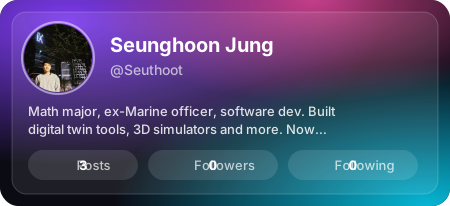](https://x.com/Seuthoot)
[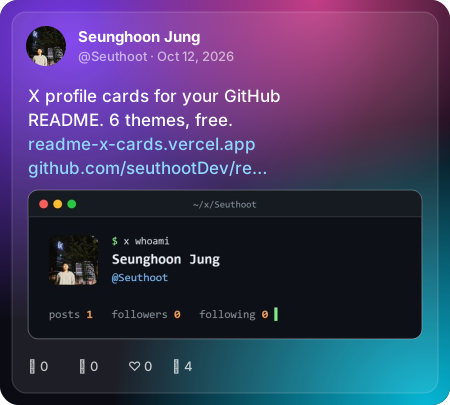](https://x.com/Seuthoot)
[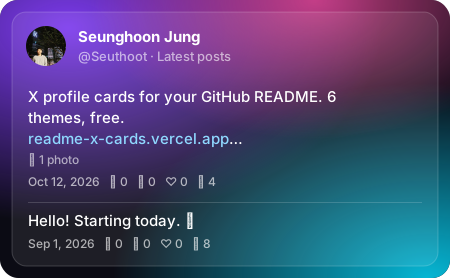](https://x.com/Seuthoot)
One image with your count latest posts (1–5). For separate cards instead, use /api/post with index=1, index=2, …
[](https://x.com/jack/status/20)
Want to show your pinned post? Use this with the pinned post's ID (paste its link on the landing page). The data sources don't say which post is pinned, so if you pin a different one later, update the ID.
GitHub picks the <source> that matches each viewer's theme. Here Aurora shows in dark mode and Paper in light mode:
<a href="https://x.com/Seuthoot">
  <picture>
    <source media="(prefers-color-scheme: light)" srcset="https://readme-x-cards.vercel.app/api/profile?user=Seuthoot&theme=paper">
    <img src="https://readme-x-cards.vercel.app/api/profile?user=Seuthoot&theme=aurora" alt="X profile" width="450">
  </picture>
</a>
The landing page builds this snippet for you.
| Endpoint | Parameter | Values | Default |
|---|---|---|---|
/api/profile | user | X username (letters, digits, _, max 15) | required |
/api/post | id | Post ID (the number in the post URL) | — |
/api/post | user | X username — shows their latest post | — |
/api/post | index | 1–10, n-th latest post (with user) | 1 |
/api/feed | user | X username | required |
/api/feed | count | 1–5, how many latest posts | 3 |
| all | theme | aurora, terminal, paper, brutal, receipt, sunset | aurora |
| all | hide | comma-separated: bio, metrics, views, media, date, border | — |
| all | locale | date language, e.g. ko, ja, de, pt-BR | en-US |
/api/post needs either id or user; id wins if both are given.
hide=border applies to the themes with an outline (aurora, terminal, paper). The terminal theme always prints ISO dates, so locale does not change it.
t.co links appear as their real destination (vercel.com/blog/…).hide=media leaves it out. The receipt theme prints no images.Multi-post cards keep to text, with the same highlighting.
Cards are cached: profiles for 6 hours, latest posts (and feeds) for 1 hour, specific posts for 24 hours. GitHub also caches README images, so changes can take a little longer to show up.
No environment variables needed. Running your own instance keeps your cards working even if the public one is rate-limited.
Optional: connect an Upstash Redis database to the project (it sets KV_REST_API_URL / KV_REST_API_TOKEN or UPSTASH_REDIS_REST_URL / UPSTASH_REDIS_REST_TOKEN). Each card then remembers its last successful data for 7 days, and when X data is briefly unavailable it shows that instead of an error card.
src/themes/<name>.ts exporting an object that implements Theme (src/themes/types.ts): renderProfile, renderPost, renderFeed, renderError, each returning a complete SVG string.src/themes/index.ts.describe.each lists in tests/theme-contract.test.ts and tests/theme-feed.test.ts (plus any theme-specific checks) and run npm test, then npm run smoke to render previews.Rules: card width 450px, escape every external string with escapeXml, never reference external URLs (GitHub blocks them inside SVG images — avatars and previews arrive as data URIs). Post text goes through richText from src/themes/shared.ts for highlighting.
npm install
npm test          # unit tests, no network
npm run typecheck
npm run smoke     # renders real cards into docs/previews (uses the network)
npx vercel dev    # local server at http://localhost:3000
This project does not use the official X API. Data comes from unofficial public endpoints (X's embed syndication service and FxEmbed/fxtwitter), which may change or stop working at any time. Not affiliated with or endorsed by X Corp.
MIT


